

HERE Platform 403 Forbidden Access
Even though Projects are created to facilitate HERE Platform's management, its use requires simple steps to avoid delays caused by credential issues such as "403 Forbidden Access".
Before creating a ticket to HERE's tech support, please review the following items when associating an app_id to a project.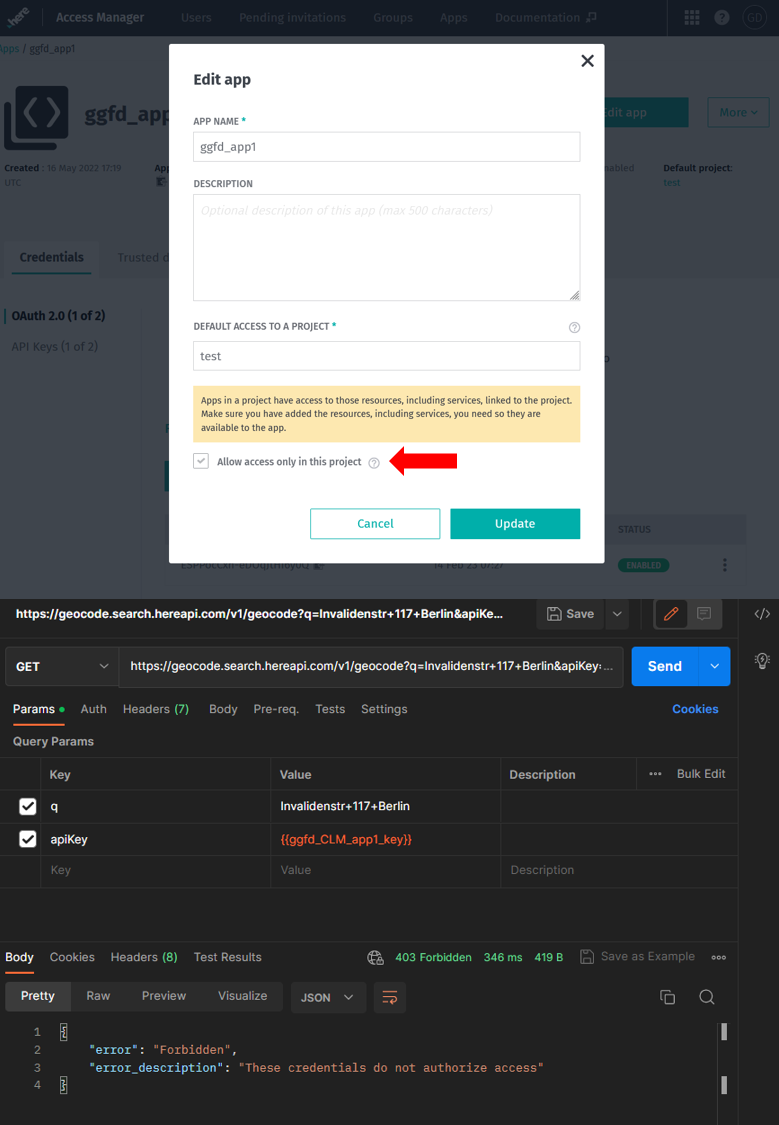
01 – "Allow access only in this project" will limit the app_id to the services linked to the project. Thus, any service endpoint not linked to the project will receive a forbidden access response. This option is available under Access Manager > Apps > {YOUR_APP_ID_XYZ} > Edit app.
In the example above, HERE Search – Forward Geocoder can't be accessed because the service is not linked to the project "test." Image 02 conveys how the 403 Forbidden can be fixed: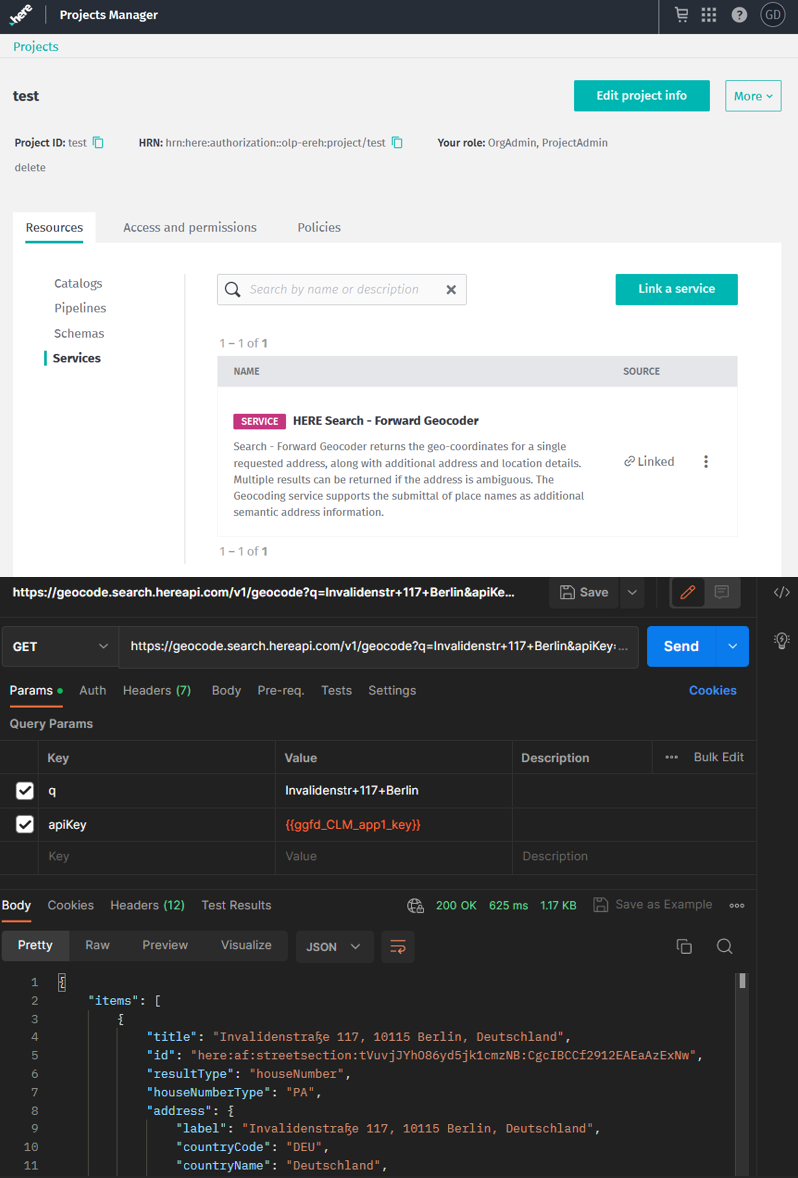
02 – HERE Search – Forward Geocoder can be linked to a Project under Project Manager > {YOUR_PROJECT_XYZ} > Resources > Services > Link a service > {YOUR_SERVICE_XYZ} > Link
If you are still facing 403 Forbidden responses, please, remove any project associations from the app_id like in the image below: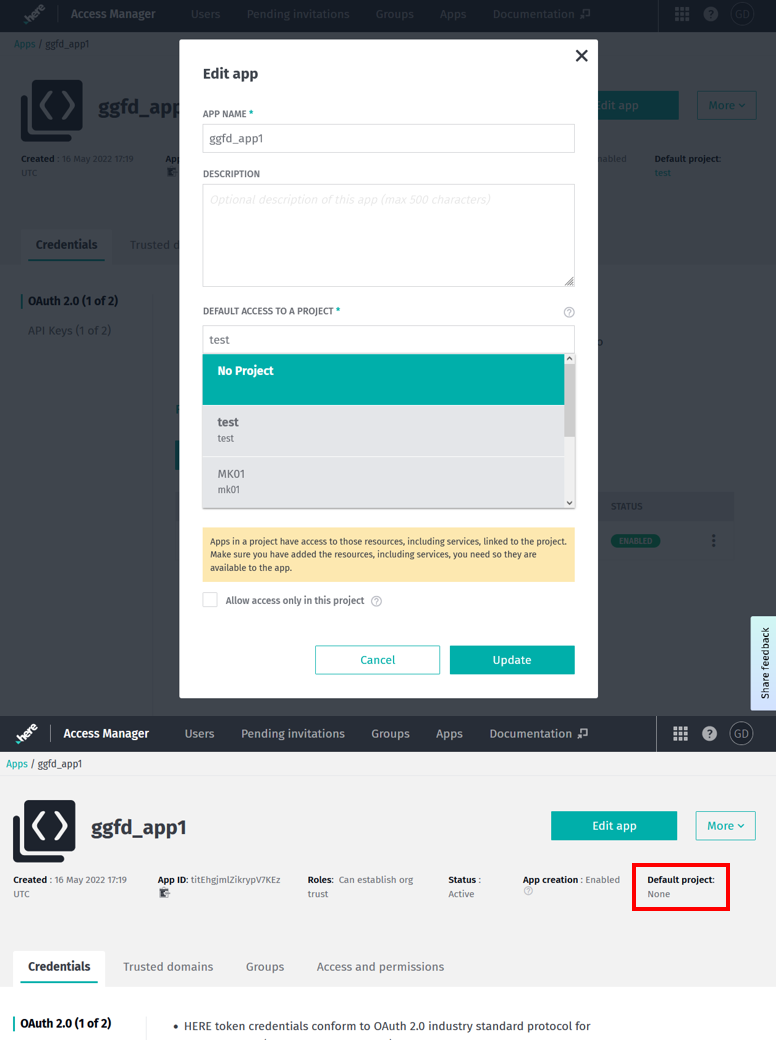
03 – This can be achieved following Access Manager > Apps > {YOUR_APP_ID_XYZ} > Edit app > DEFAULT ACCESS TO A PROJECT > No Project.
If the problem persists, please create a ticket at Support Portal, and one HERE Tech Support Engineer will promptly assist you.