

How to create an APP ID, API KEY, and Token credentials on HERE's Platform
This article aims to enumerate the necessary steps to create App_ids, API KEY, and Oauth “Token” credentials. These credentials are necessary to give the first steps on HERE Platform, as they are used to access Location Services endpoints such as Geocoding, Routing, etc.
After logging into an account, one should access the “Launcher Menu” at the top right and hit “Access Manager” as depicted below (image 01):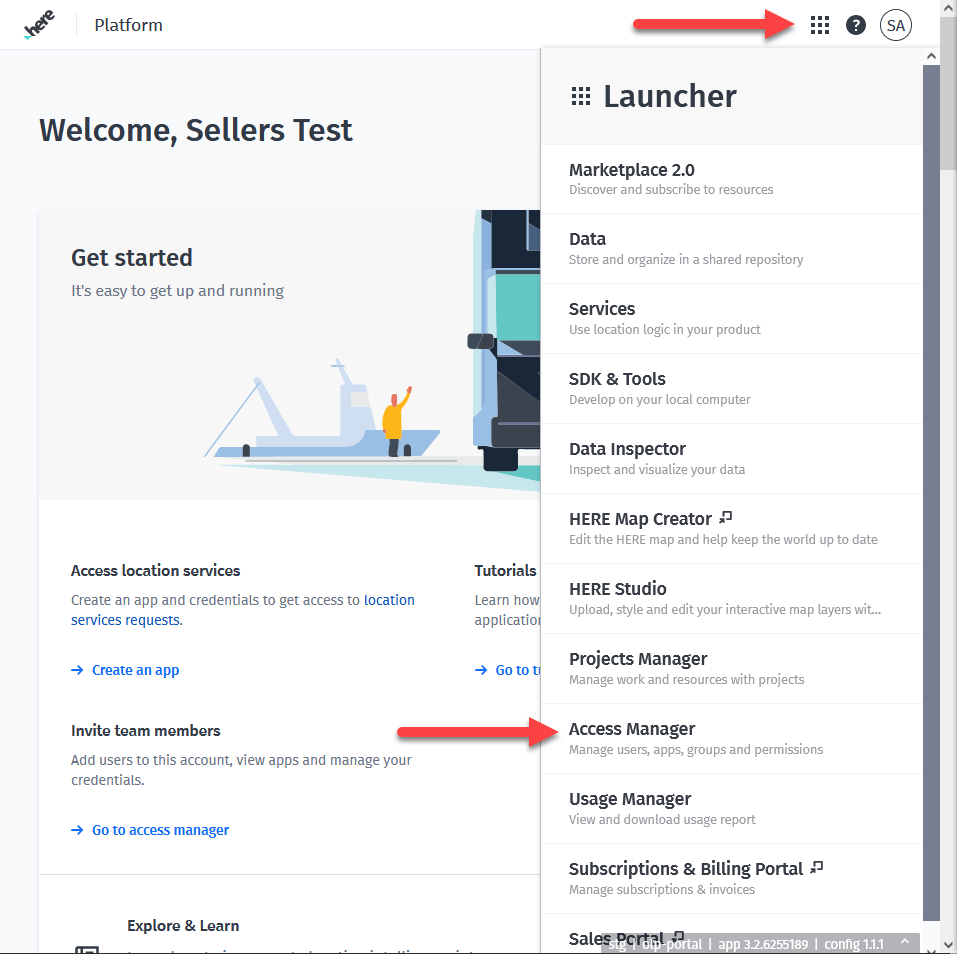
Image 01
At the “Apps” tab there’s a “Register new app” button to create new app_ids (Image 02).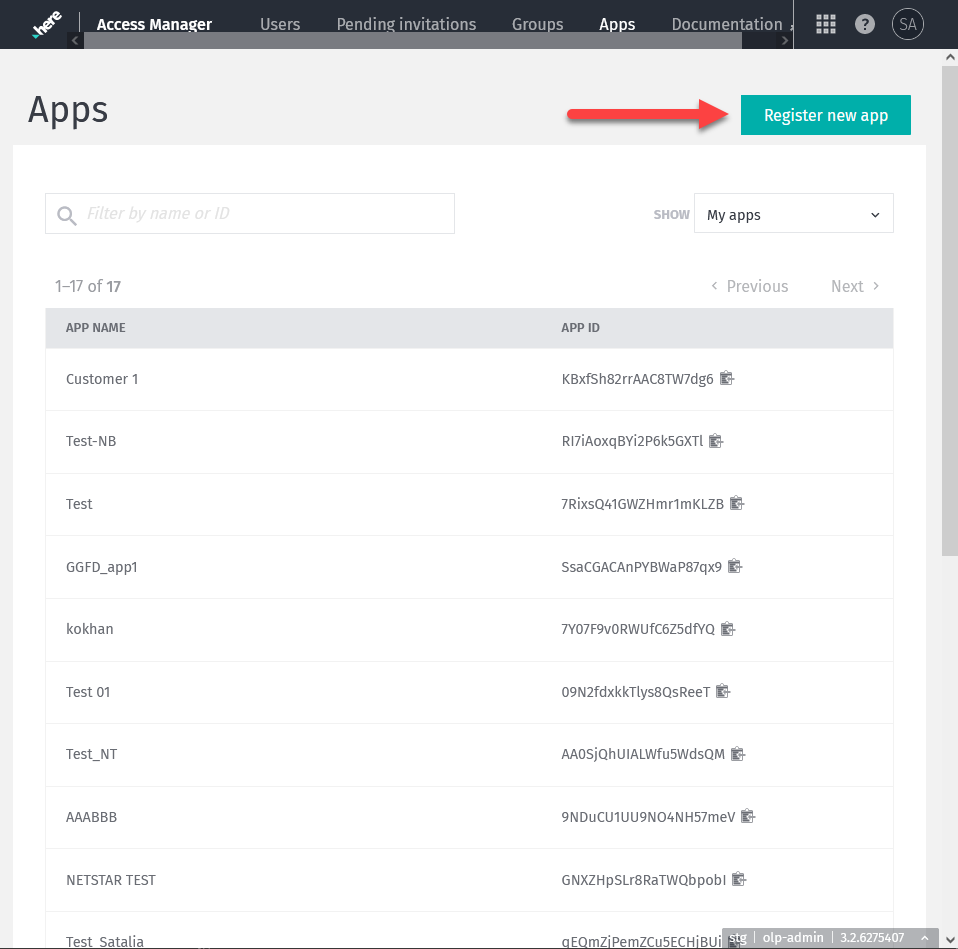
Image 02
Due to issues still being troubleshot, projects should not be associated with app_ids. One should keep the field "Default Access to a Project" as No Project (image 03).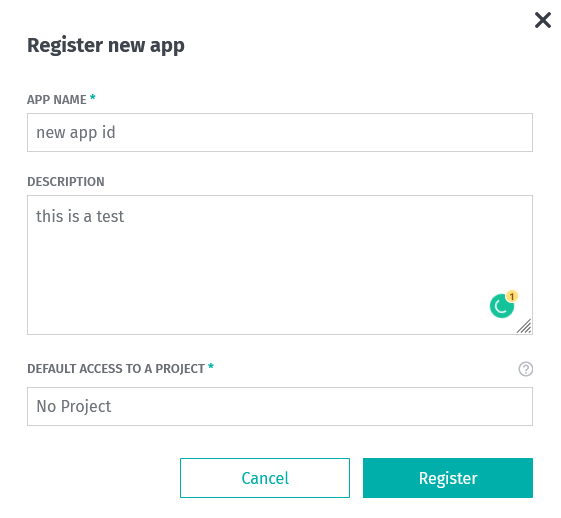
Image 03
After the app_id creation, one is prompted to the “Credentials” screen for OAuth2.0 and API_KEY creation (Image 04). Find more details about the Token (OAuth2.0) creation here: https://developer.here.com/documentation/identity-access-management/dev_guide/topics/postman.html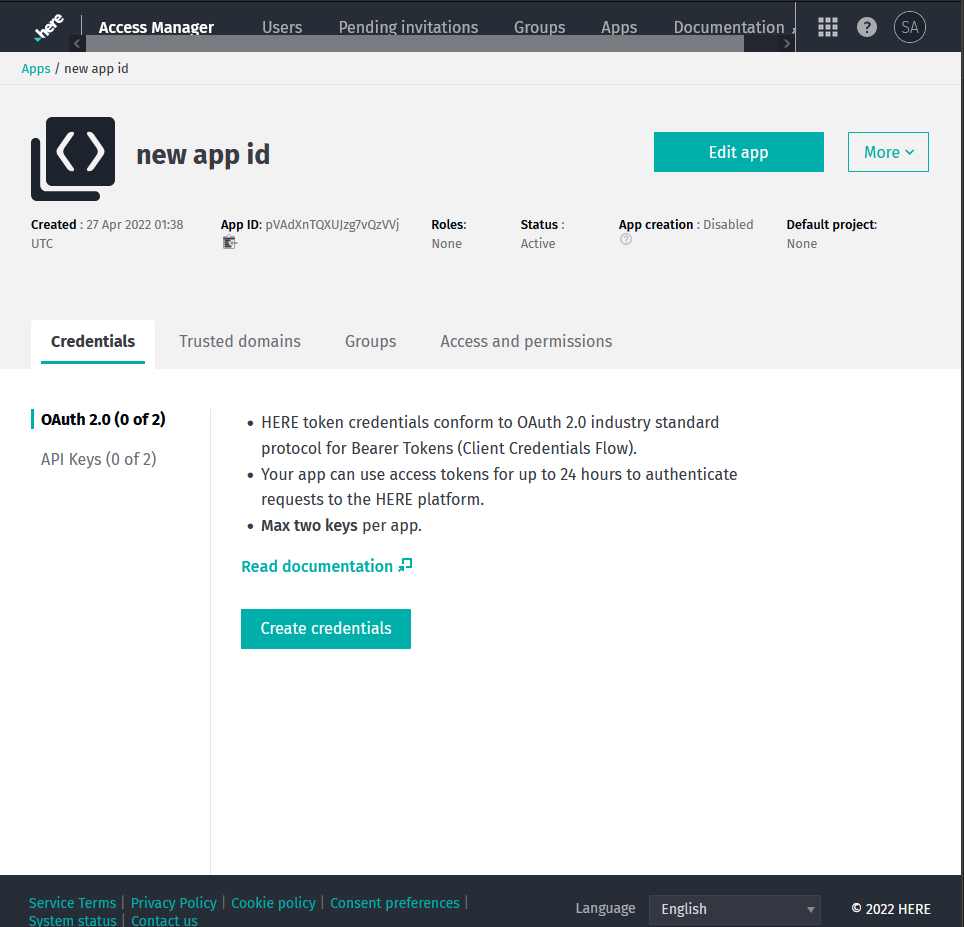
Image 04
API_KEYs are limited to 2 per app_id. Both can be disabled or deleted as necessary (image 05).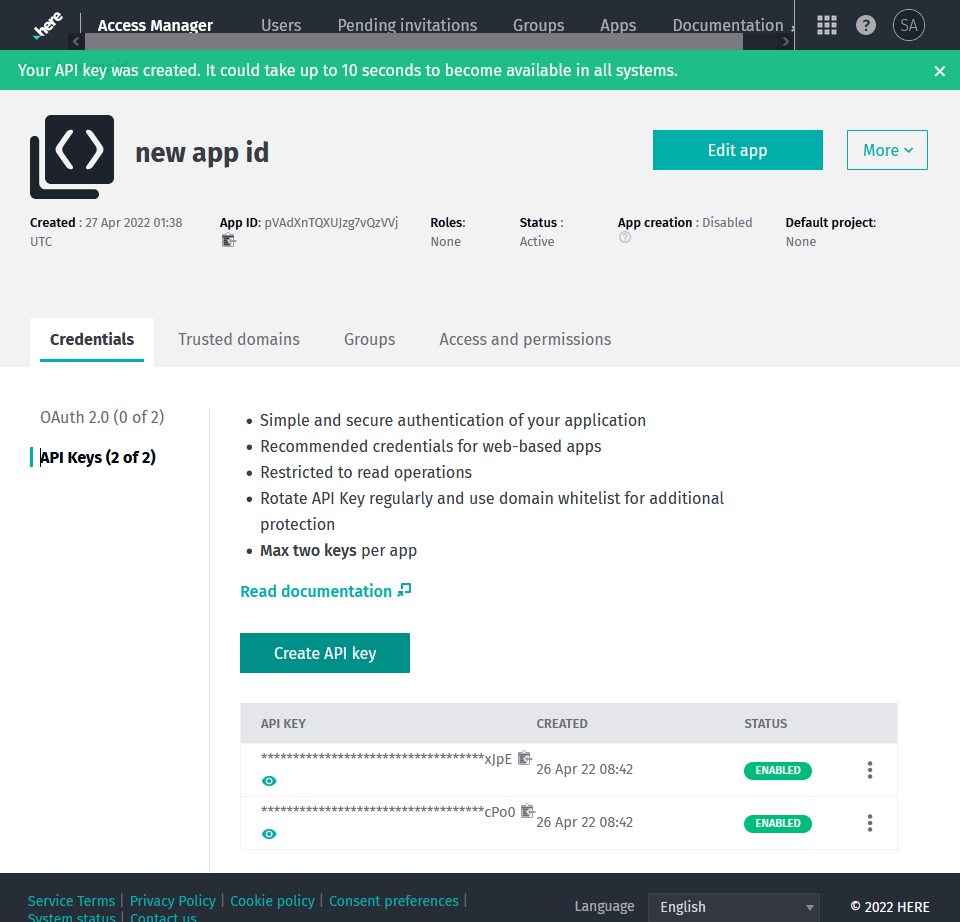
Image 05
It’s also possible to access app_ids credentials from “Apps” tab mentioned on Image 02.