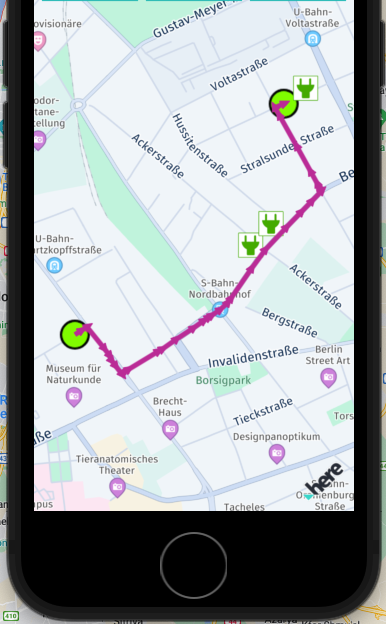
Render route as Map Arrows [mSDK 4.x]
Map arrows can be useful do indicate directions on the map - for example, when rendered on parts of a route geometry.
//First calculate the route

**//First, calculate the route**

// Calculates an EV car route based on random start / destination coordinates near viewport center.

**func** addRoute() {

startGeoCoordinates = createRandomGeoCoordinatesInViewport()

destinationGeoCoordinates = createRandomGeoCoordinatesInViewport()

routingEngine.calculateRoute(with: [Waypoint(coordinates: startGeoCoordinates!),

Waypoint(coordinates: destinationGeoCoordinates!)],

evCarOptions: getEVCarOptions()) { (routingError, routes) **in**

**if** **let** error = routingError {

**self**.showDialog(title: "Error while calculating a route:", message: "\(error)")

**return**

}

// When routingError is nil, routes is guaranteed to contain at least one route.

**let** route = routes!.first

**self**.showRouteOnMap_arrows(route: route!)

}

}

**//Second, parse the spans of each route section and use the geometry to define a new map arrow object, then add it to the map view scene**

**private** **func** showRouteOnMap_arrows(route: Route) {

clearMap()

**for** section **in** route.sections {

**for** span **in** section.spans {

**let** geoPolyline = **try**! GeoPolyline(vertices: span.polyline)

**let** routeMapArrow = MapArrow(geometry: geoPolyline,

widthInPixels: 10,

color: UIColor(red: 0.73,

green: 0.17,

blue: 0.59,

alpha: 0.63))

mapView.mapScene.addMapArrow(routeMapArrow)

}

}

}