

Using filters to view Support Tickets
How to use filters and view Support Portal within an account
By default all tickets raised by an individual who is trying to view the tickets are displayed.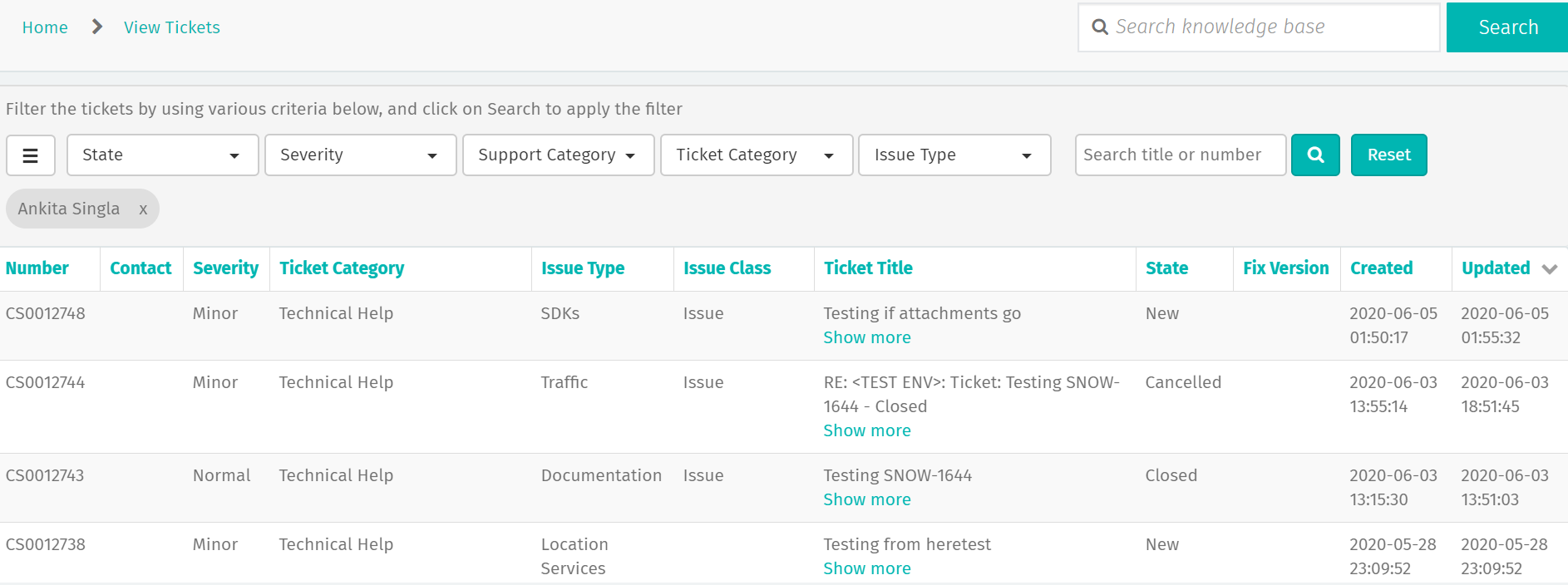
Note: For accounts that have the ability for customers to view all tickets raised within an account, users can get rid of their name by clicking on X and hitting the search/magnifying glass icon next to Reset button and see all tickets raised in the account.
There are various ticket fields available for filtering such as Contact, State, Severity, Support Category, Ticket Category and Issue Type.
Please note that Contact field is available only for organizations for which the ability for all users to see all tickets within the account has been enabled. For such organizations, a “Watched by me” toggle is available as well to view tickets for which the user has been added as a watcher.
Please select 1 or a combination of these fields and then click the magnifying glass (next to Reset button) on the right to view tickets based on the filter.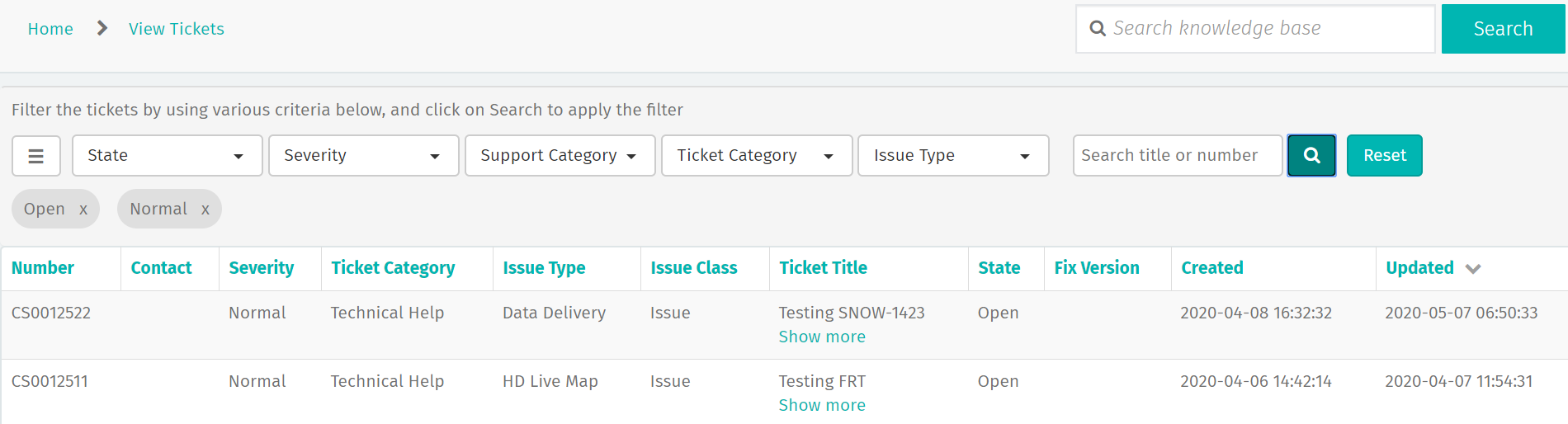
Clicking on Reset gets rid of all the filters and takes the user back to the default view of seeing all tickets raised by them.
A specific ticket can also be searched by typing in the ticket number or text from ticket title.