

How to change or deactivate an account on platform.here.com
How to change personal data or deactivate an account on platform.here.com
First make sure that you don't hava any active app_ids left on your account. Deactivating the account will not stop invoices being issued if your app_ids are still running with our services.
Login to your account on platform.here.com
Then open account.here.com. you will see details of your account including personal info that you provided to HERE. The upper part is the place where you can change your first or last name, upload a picture for your profile, etc.
The lower part shows details of your account and there you can change your password.
And you can click the red bar that states "Deactivate account".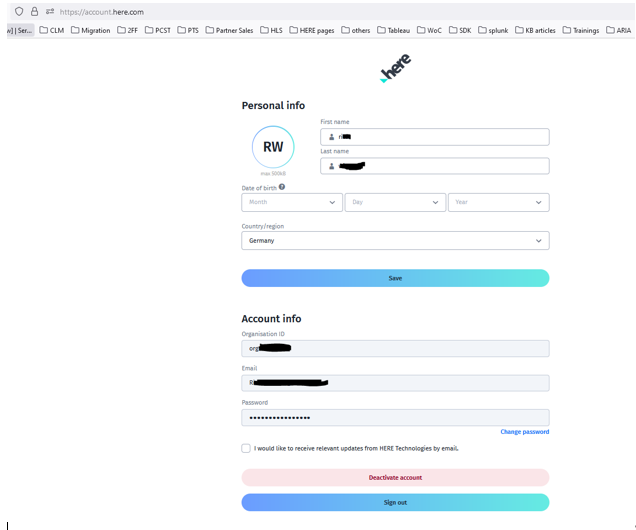
If you want HERE to delete your personal data you should go to https://legal.here.com/en-gb/here-data-subject-request.
Click on "Other/Unsure", provide your email address.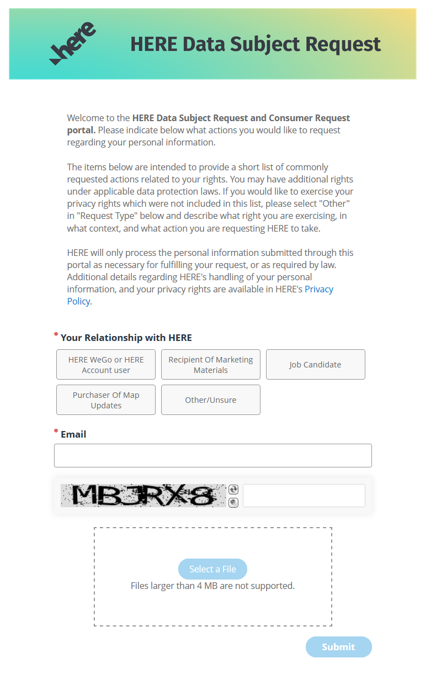
More fields will open: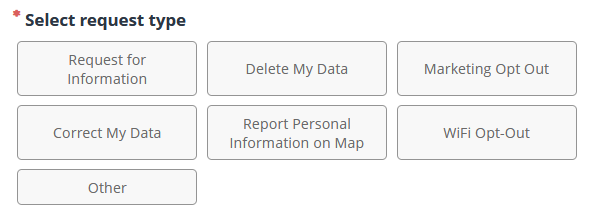
It's a self explaining click through process.